Premium/Elite
Create an XPath monitor
This tutorial shows how to monitor a webpage for changes using an XPath expression.
- Click the Add new XPath monitoring link.
- Type a name. This name is used by the bot in its messages.
- Enter the URL of the page to monitor.
- Paste the XPath expression that identifies the element to watch.
In this example, the monitored page is the Storebot website, to be warned when new reviews are made.
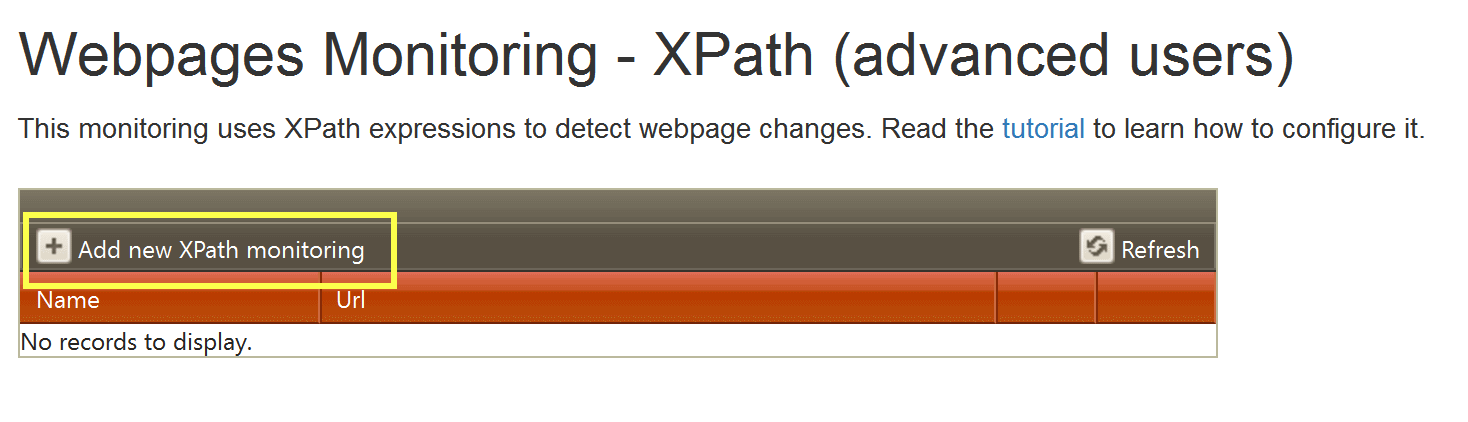 Add a new XPath monitor.
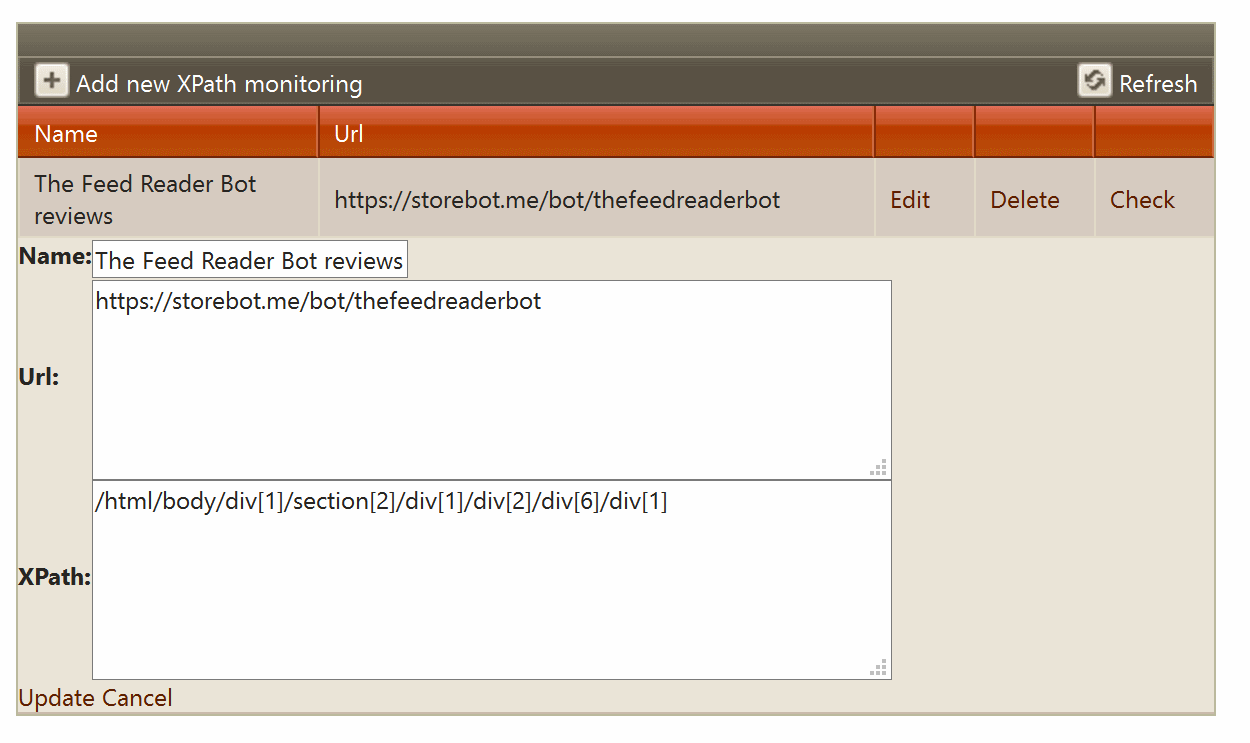 Enter the monitor name, page URL and XPath expression.
The easiest way is to use Google Chrome.
- Open the webpage in Chrome.
- Right-click the element you want to monitor.
- Select Inspect.
- In the developer tools, right-click the highlighted blue line.
- Select Copy, then Copy XPath.
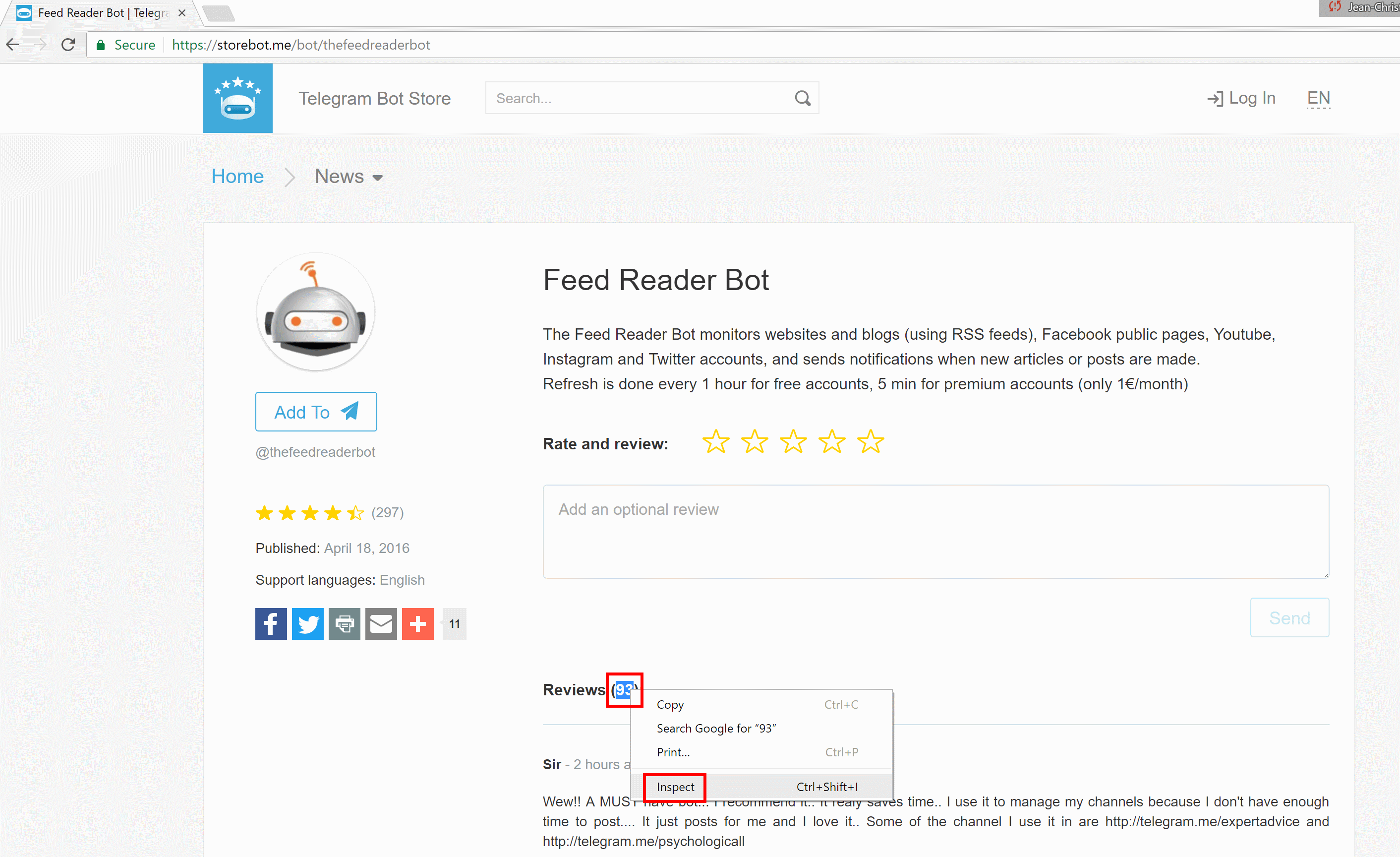 Inspect the element to monitor.
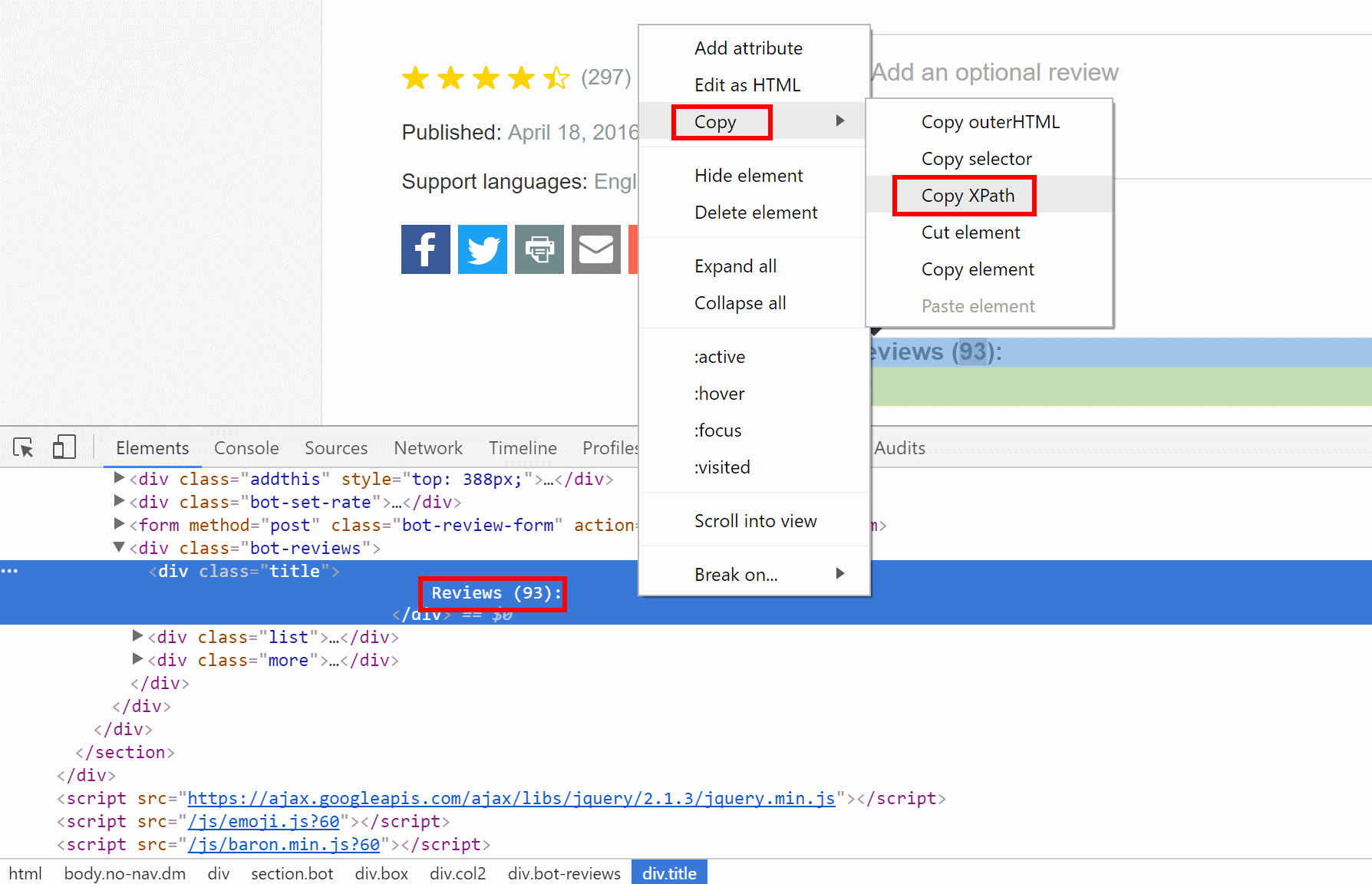 Copy the XPath from Chrome developer tools.
Paste the XPath expression in the monitoring form and save the monitor.
Use the check link to verify that the XPath expression retrieves the correct value before relying on the monitor.
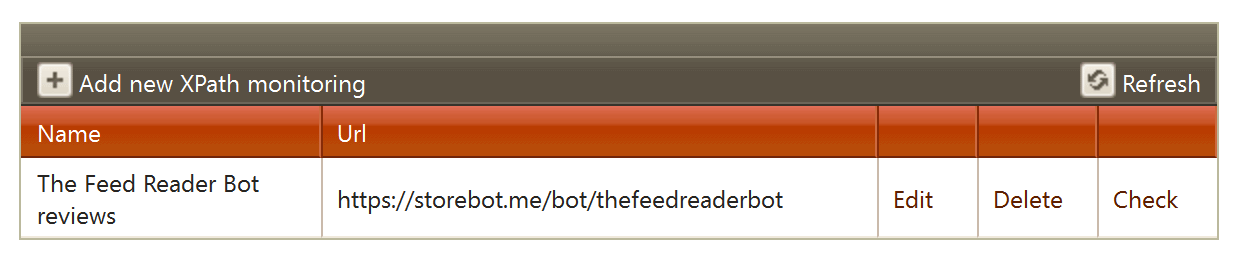 Save the XPath monitor, then use check to confirm the detected value.
When the bot detects a change in the HTML element retrieved by the XPath expression, it sends you a notification.
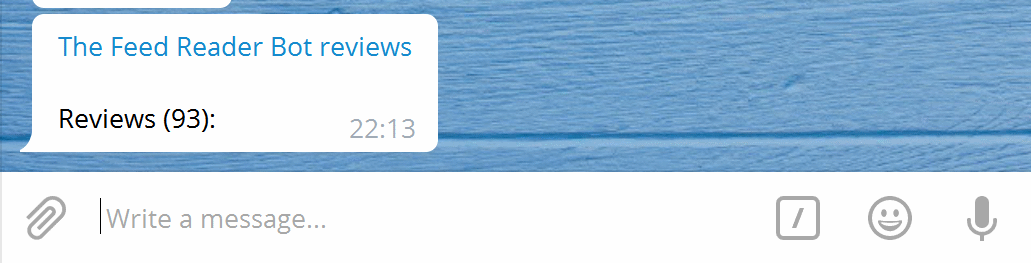 Notification sent when the monitored XPath value changes.
Need help?
If you have any trouble configuring XPath monitoring, contact @jcmag on Telegram.
Contact support →